

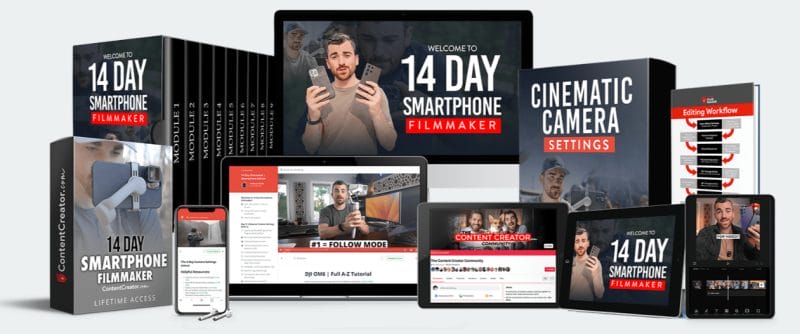
Content Creator – 14 Day Smartphone Filmmaker


14 Day Smartphone Filmmaker is for anyone who wants to produce cinematic & emotional videos using their smartphone without wasting months trying to figure it all out on their own.
“This course helped us get our first 10,000+ youtube subscribers in under a year! We wouldn’t have been able to do it without 14 Day Filmmaker!”
– William K.
Size: 67.84 GB
Download: MEGA
View Files (PROOF): Link
Sales Page: Link
Archive: Link
DOWNLOAD
You have to be logged in and our VIP Members to see the Download Links
Cinematic Smartphone Filmmaking Course: Full Curriculum & What You’ll Learn
Unlock the full potential of your smartphone for professional video creation with this comprehensive 14-day course. Each module is designed to help you master cinematic smartphone videography, editing, and content creation for YouTube, social media, and commercial projects.
Day 1: Unlock Cinematic Smartphone Settings
-
Discover the best apps to enhance smartphone camera quality
-
Learn optimal camera settings for cinematic results
-
Avoid common beginner mistakes in mobile videography
-
Understand the fundamental laws of content creation
-
Practical 1-hour exercise to apply your new skills
Day 2: Mastering iPhone and Android Cameras
-
Achieve perfect exposure in any lighting condition
-
Capture clean, high-quality slow-motion footage
-
Select the best cameras and focal lengths for your content
-
Identify hidden phone settings that can ruin image quality
-
30-minute focal length challenge to solidify your learning
Day 3: Essential Smartphone Camera Gear & Accessories
-
Find the best smartphone lenses for every budget
-
Discover top-rated budget film lights and microphones
-
Explore affordable motorized gimbals for smooth footage
-
Access exclusive student discounts on gear-save more than the course cost
Day 4: Beautiful Video Composition Explained
-
Instantly improve your shot quality with proven composition techniques
-
Set up the perfect YouTube filming environment
-
Learn what makes or breaks a beautiful video
-
Follow a 5-step process to create professional-looking shots
Day 5: Cinematic Camera Movements
-
Master the five essential camera movements for any filming scenario
-
Learn the easiest movements for smartphone filmmakers
-
Film handheld footage that looks professional
-
Step-by-step gimbal walkthroughs and setup tutorials
-
Transform ordinary scenes with dynamic movement
Day 6: Hollywood Lighting Techniques Made Easy
-
Achieve a professional look without expensive lighting gear
-
Light your YouTube videos for maximum impact
-
Use soft light to flatter your subjects
-
Harness natural light sources for cinematic results
Day 7: Recording Clean Audio on Smartphones
-
Learn the fundamentals of capturing clear, professional audio
-
Avoid wasting money on unnecessary microphones
-
Discover the $14 microphone that delivers amazing sound
-
Build the perfect audio setup for vlogs, YouTube, and commercials
Day 8: Storytelling & Creating Viral Videos
-
Master the four essential components of compelling storytelling
-
Sequence your videos to keep viewers engaged
-
Use creative editing to tell better stories
-
Apply the proven viral video formula
Day 9: Cinematic Smartphone Video Editing
-
Explore the best editing apps for smartphones
-
Compare smartphone vs. computer editing workflows
-
Follow a universal 10-step editing process
-
Avoid the 10 most common beginner editing mistakes
-
Organize your footage for faster, more efficient editing
Day 10: Advanced Editing App Mastery
-
Import footage and start new projects with ease
-
Find and add music to your videos
-
Edit professional-looking videos quickly
-
Add titles, animated graphics, and color grading on your phone
-
Edit slow-motion footage and add special effects
-
Create cinematic transitions for polished results
Day 11: Computer Editing Essentials
-
Choose the best computer editing software for your needs
-
Master advanced editing strategies
-
Bonus tutorials: Adobe Premiere Pro, Final Cut Pro, DaVinci Resolve, Adobe After Effects
Day 12: YouTube Video Production Mastery
-
Learn the key components of a successful YouTube video
-
Set up your dream office or studio for content creation
-
Get an inside look at a professional studio setup
-
Discover the best smartphone accessories for YouTubers
-
Create YouTube thumbnails that boost views
Day 13: Social Media Video Creation
-
Edit Instagram Reels from start to finish
-
Recreate trending TikTok video styles
-
Use seamless transitions and creative video effects
-
Optimize aspect ratios for each social platform
-
Grow your social following with engaging video content
Day 14: Become a Commercial Content Creator
-
Monetize your content with proven strategies
-
Step-by-step guide to launching your content creation business
-
Land your first client and build a portfolio
-
Shoot high-quality smartphone product videos
-
Apply the commercial video formula for client success
Why Choose This Course?
-
Structured, step-by-step learning for beginners and aspiring professionals
-
Actionable exercises and real-world projects every day
-
Exclusive discounts on essential filmmaking gear
-
Covers everything from camera settings to advanced editing and monetization
DOWNLOAD
You have to be logged in and our VIP Members to see the Download Links
Be the first to review “Content Creator – 14 Day Smartphone Filmmaker”
You must be logged in to post a review.
Reviews
There are no reviews yet.